How to Share a ChatGPT Conversation Without Screenshots
A practical guide to sharing long ChatGPT threads as clean, readable links instead of stitched screenshots.
April 24, 2026
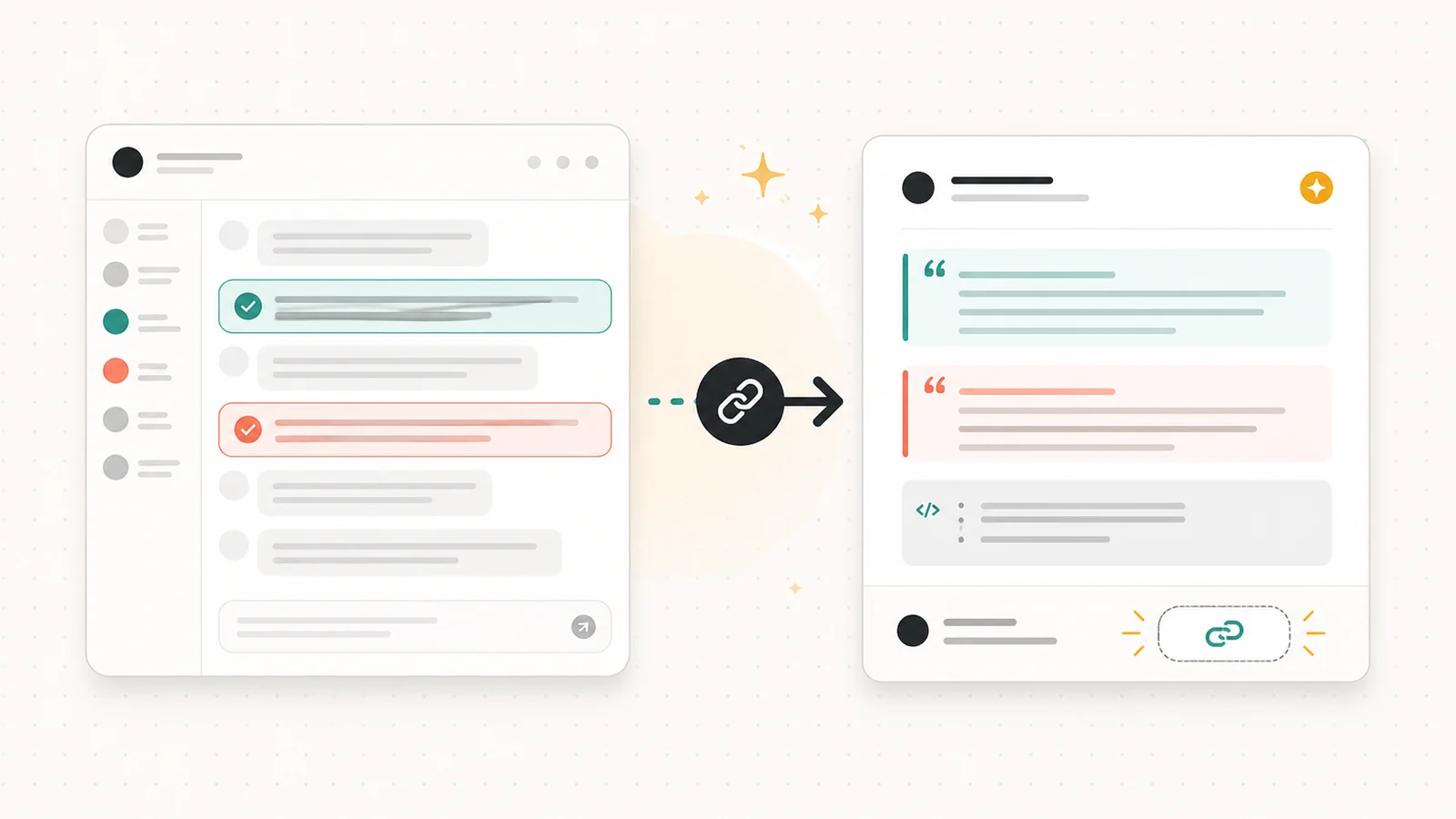
The best way to share a long ChatGPT conversation is to trim the useful turns, redact sensitive details, and publish the cleaned transcript as a readable link. Screenshots are fine for a single answer, but they break down when the value is in context, code, tables, links, or a decision trail.
Highlight Reel
Turn an AI chat into a readable link
Paste the useful turns, keep the structure, and share a clean page instead of a stack of screenshots.
This guide explains when screenshots are still enough, when a ChatGPT shared link is useful, and when a cleaned transcript link is the better artifact for Slack, Notion, email, docs, or a GitHub issue.
Quick Answer
Use screenshots for moments. Use a share link for conversations.
If the reader only needs to see one short response, a screenshot is usually enough. If the reader needs to understand the setup, review the reasoning, copy code, search the text, or cite the result later, turn the conversation into a readable text page.
The safest workflow is:
- Choose what the reader needs to understand.
- Keep only the useful parts of the conversation.
- Redact anything private or sensitive.
- Preserve code, tables, lists, and links as real text.
- Share the cleaned transcript as a link.
When Screenshots Are Still Enough
Screenshots are useful when the message is short, visual, or tied to a specific UI state.
Use a screenshot when you only need to show:
- A single surprising answer
- A small UI state
- A before-and-after comparison
- A short bug or error message
- A one-off social post
In these cases, the screenshot is the artifact. The exact layout, timestamp, or surrounding interface may matter more than the text itself.
But most useful AI conversations are not one-screen moments. They usually include context, constraints, corrections, code blocks, references, and a final answer that only makes sense because of the earlier turns.
Why Long ChatGPT Threads Break As Screenshots
A long ChatGPT conversation has a few problems that screenshots do not solve.
First, the useful part is rarely contiguous. The best answer may depend on a setup from ten messages earlier. If you crop only the final answer, the reader loses the context. If you include every message, the reader gets a wall of visual noise.
Second, screenshots flatten the conversation into pixels. Code blocks, tables, lists, and links become harder to use. A reader cannot copy a command, click a source, search for a phrase, or quote one line without retyping it.
Third, screenshots are poor on mobile. Long stitched images force readers to zoom, scroll, and guess where the important part starts.
Finally, screenshots make redaction harder. It is easy to miss an email address, customer name, internal URL, private file path, or token when it is embedded inside an image.
A screenshot captures what happened on your screen. A clean transcript link preserves what another person needs to understand.
ChatGPT Shared Links vs Clean Transcript Links
OpenAI's ChatGPT shared links are useful when you want to share a snapshot of a conversation from ChatGPT itself. According to OpenAI's shared links FAQ, anyone with access to a shared link can view the linked conversation, and a shared link includes the conversation up to the point it was shared.
Claude has a similar pattern. Anthropic's shared chat documentation describes shareable snapshots, unsharing, and a shared chats management view. The important pattern is the same across AI tools: a native shared link is convenient, but it is still a snapshot of platform content, not a carefully edited handoff.
That makes native shared links convenient, but it also means you should think carefully before using them for work conversations.
| Option | Best for | Watch out for |
|---|---|---|
| Screenshot | One short visual moment | Hard to search, copy, redact, or read on mobile |
| ChatGPT shared link | Sharing the original ChatGPT conversation snapshot | The link may include more conversation history than the reader needs |
| Clean transcript link | Sharing a curated, readable version of the useful turns | Requires a quick edit and redaction step |
| Google Doc or Notion page | Long internal documentation | Heavier workflow and more permissions to manage |
For most team handoffs, a cleaned transcript link is the best middle ground. It keeps the useful text, removes noise, and gives the reader a page that is easier to skim than the original chat.
What A Good Shared AI Chat Should Preserve
The goal is not to dump the entire thread. The goal is to preserve the parts that make the answer understandable.
A useful shared AI chat should keep:
- The original question or task
- The important constraints
- Any critical correction or follow-up
- The final answer or recommendation
- Code blocks, tables, and links as real text
- Enough context to know why the answer matters
It should remove:
- Private information
- Repeated false starts that do not help the reader
- Long irrelevant branches
- UI clutter from the chat app
- Anything that would make the reader work harder than necessary
This is the difference between exporting a transcript and publishing a useful artifact.
Step-By-Step Workflow
Here is a practical workflow for sharing a ChatGPT conversation without screenshots.
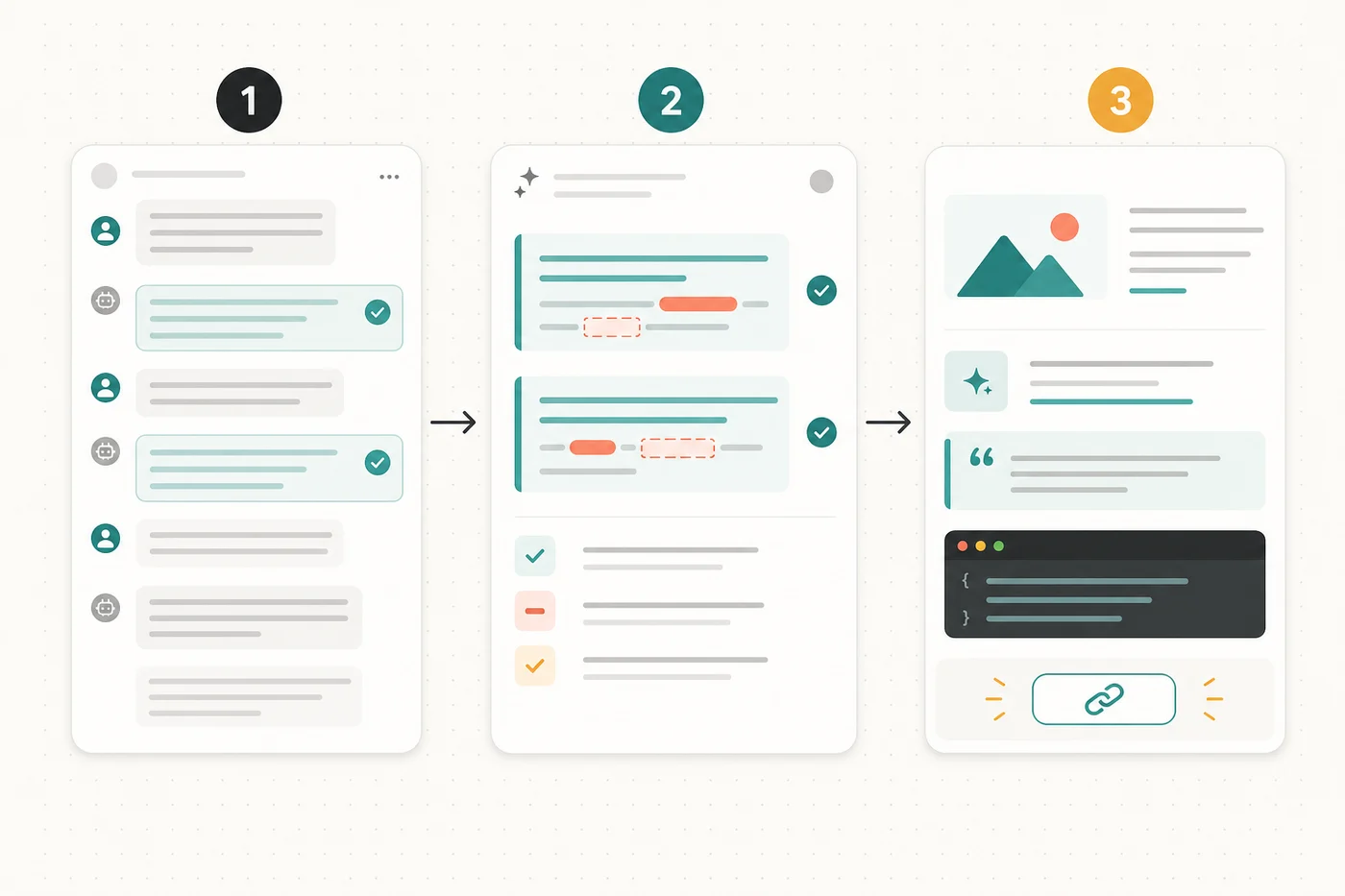
1. Choose The Reader's Task
Before exporting anything, ask one question:
What should the reader understand or do after reading this?
If the answer is "see that ChatGPT said something funny," a screenshot is probably fine. If the answer is "understand the decision," "reuse the prompt," "review the reasoning," or "copy the code," use a text-based share page.
2. Keep Only The Useful Turns
Keep the messages that explain the path. Remove the parts that only show friction.
For example, a useful shared thread might include:
- Your original question
- The model's first useful framing
- Your correction or added constraint
- The improved answer
- The final checklist or code
That is enough to preserve context without forcing someone to read every turn.
3. Redact Sensitive Details
Redaction is easier before the conversation becomes public.
Look for:
- API keys and tokens
- Emails and phone numbers
- Customer names
- Internal URLs
- File paths that reveal private projects
- Payment, medical, legal, or HR details
- Anything copied from private docs or private chats
Do not rely on the reader to ignore sensitive details. If it should not be public, remove it before sharing.
4. Preserve Structure As Text
The final page should be easy to skim and easy to reuse.
Good formatting usually means:
- A clear title
- A short summary
- Headings between sections
- Preserved code blocks
- Tables that remain selectable
- Links that remain clickable
- Bullets for decisions or next steps
- A clean URL you can paste into Slack, Notion, email, or a GitHub issue
This is also better for reuse. A cleaned text page keeps the useful parts of the conversation understandable after the chat app, UI state, or original context fades away.
5. Publish A Readable Share Link
Once the useful turns are cleaned up, publish the result as a readable page.
In Highlight Reel, the workflow is intentionally narrow: paste the useful part of the AI conversation, keep the text structure, and create a share page you can send to someone else. That makes the artifact easier to review than screenshots and lighter than turning every conversation into a document.
If you share the link inside an issue, add a short note before it:
Here is the cleaned conversation behind this decision:
https://highlight-reel.app/h/example

The important parts are the constraint in message 2, the correction in message 4,
and the final checklist near the end.
Checklist Before You Share
Before you send the link, run through this checklist:
| Check | Why it matters |
|---|---|
| Is the title clear? | The reader should know what the conversation is about before opening it. |
| Did you remove private details? | Shared links can travel farther than you expect. |
| Did you keep the original task? | The final answer often needs the original prompt to make sense. |
| Are code blocks still copyable? | Screenshots make technical content harder to reuse. |
| Are links still clickable? | Sources and references should not become dead pixels. |
| Is the page readable on mobile? | Many people will open it from chat or email. |
If a shared AI conversation fails this checklist, it probably needs one more edit before it is useful.
Common Mistakes
The most common mistake is sharing too much. A full transcript can feel transparent, but it often makes the reader do unnecessary archaeology.
Another mistake is removing too much. If the final answer only makes sense because of a constraint you gave earlier, keep that constraint.
A third mistake is treating private chats as harmless because they are "just AI output." The conversation may contain prompts, private assumptions, customer context, internal strategy, or copied source material. Treat it like any other document before sharing it.
The last mistake is using the wrong artifact. A screenshot, a native shared link, a cleaned transcript, and a document are not interchangeable. Pick the format that matches what the reader needs to do.
FAQ
Can I just use ChatGPT's built-in shared link?
Yes, if you want to share the original conversation snapshot and you are comfortable with what it includes. For work handoffs, a cleaned transcript link is often safer because you can remove irrelevant turns and sensitive details before sharing.
Are screenshots bad for SEO or GEO?
Screenshots are not automatically bad. They are bad when they replace important text. Search engines and answer engines can understand a page more reliably when the useful information is in text, tables, headings, and links instead of locked inside an image.
What should I redact from an AI conversation?
Remove secrets, customer data, internal URLs, personal information, private file paths, and anything copied from a private source. Also remove irrelevant turns that make the reader work harder.
Should I share the whole conversation?
Usually no. Share the smallest set of turns that preserves the context, the correction path, and the useful final answer. A shorter curated page is often more helpful than a complete transcript.
When should I use a document instead of a transcript link?
Use a document when the artifact needs ownership, comments, version history, or long-term editing. Use a clean transcript link when you need a lightweight reference that preserves the AI conversation itself.
A Simple Rule
Use screenshots for moments.
Use share links for conversations.
If the value is visual, capture the screen. If the value is textual, preserve the text. If the value depends on context, give the reader a clean path through that context.
That small change makes AI work easier to review, easier to cite, and easier to reuse.